


 AI语音开发板AiPi-PalChatV1教程:二次开发

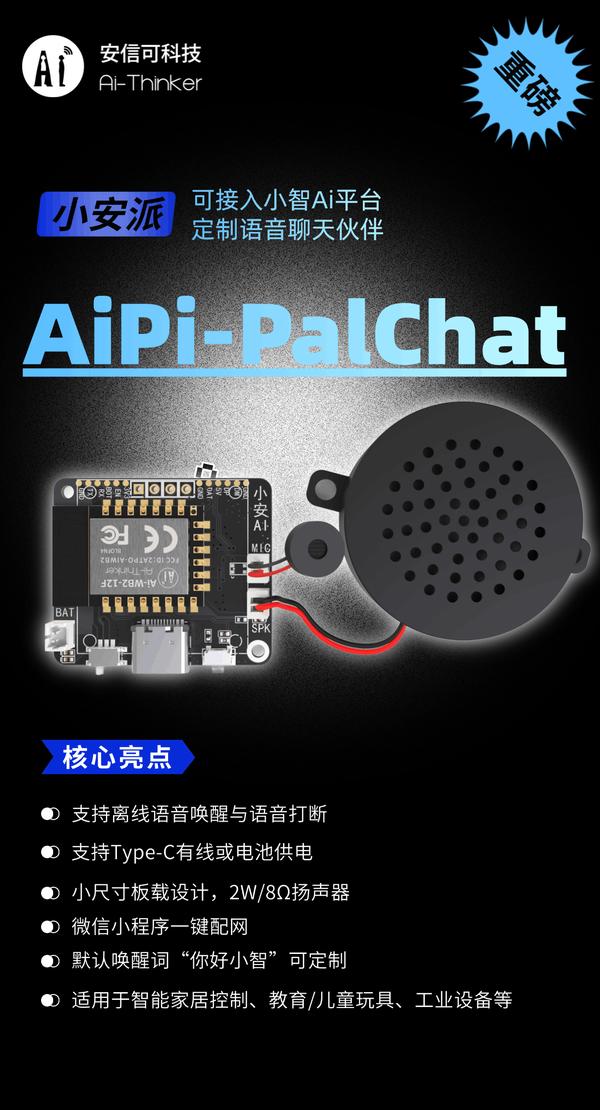
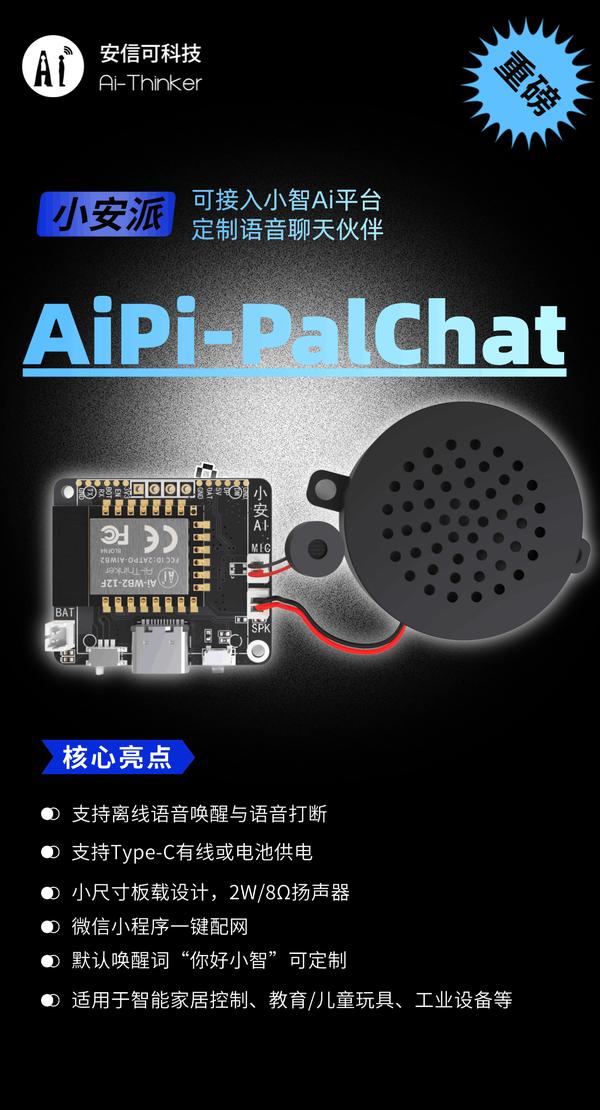
AiPi-PalChatV1 是一款接入了小智AI智能体的微型语音交互开发板,专为轻量级智能语音场景设计。
基于安信可 Ai-WB2-12F 模组主控,具备高集成度、高性价比等特性,支持离线语音唤醒与语音打断功能,结合2W/8Ω 扬声器与双供电模式(Type-C + 电池),适用于快速部署语音交互能力的硬件创新场景。
Linux 平台
请根据以下步骤逐步操作。
环境安装
sudo apt-get install git gcc make python3 python3-pip
克隆仓库
git clone https://gitee.com/Ai-Thinker-Open/xiaoan-ai_wb2.git
克隆完成实例

运行环境安装脚本
进入SDK
cd xiaoan-ai_wb2
运行脚本
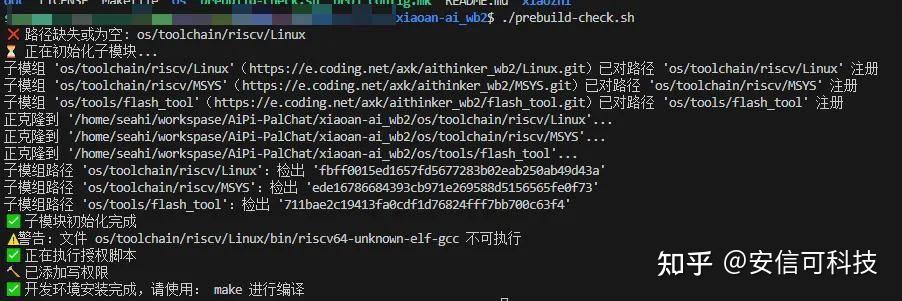
./prebuild-check.sh
成功示例
编译测试
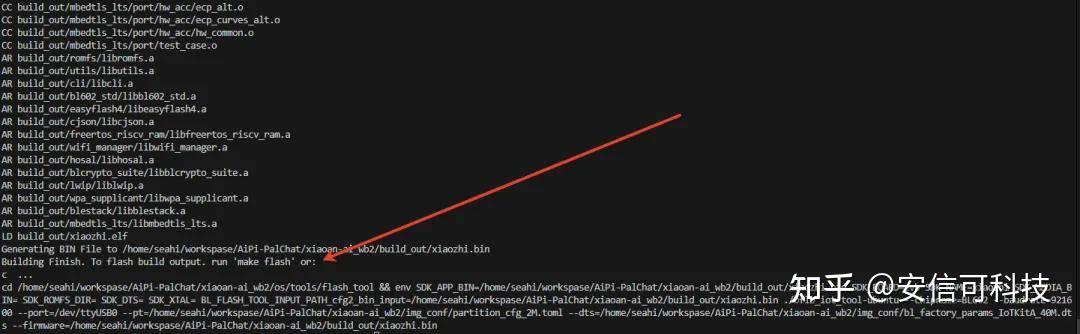
make -j
编译成功示例
Windows 平台
推荐使用WSL(Windows下的Linux 子系统)进行开发
安装Linxu 子系统
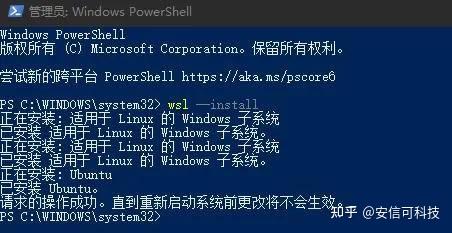
使用 以管理员身份运行 PowerShell。在 PowerShell 下方指令安装Linux 子系统:
wsl --install
成功示例:
重启电脑(记得保存资料)
安装Ubtuntu20.04
按住 shift+鼠标右键 重新打开 PowerShell,运行下发指令安装 Ubutun20.04:
wsl --install -d Ubuntu-20.04
示例:

根据提示新建用户名和密码即可
VSCode 安装WSL 集成
在VSCode 集成中搜索 WSL,并且安装:
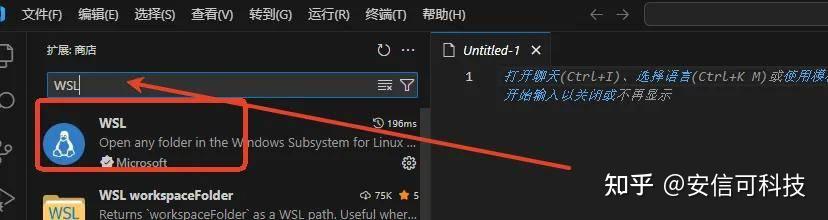
VSCode 打开WSL
在VSCode 的搜索栏输入:>WSL 选择 WSL:连接到WSL

在首次连接WSL时,会下载 VSCode 服务器,要保持电脑网路正常
连接成功示例
更换软件源
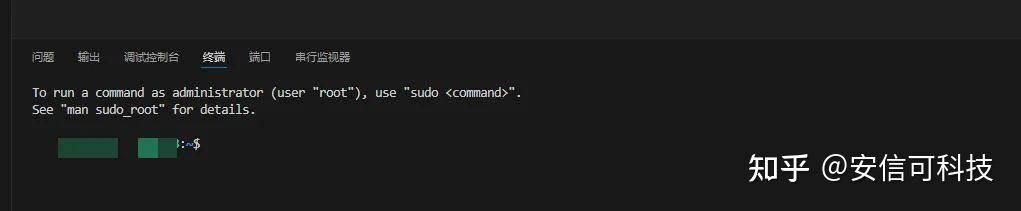
用 终端使用下方指令:
sudo vi /etc/apt/sources.list
把内容全部替换为下方的源地址:
清华源
# 默认注释了源码镜像以提高 apt update 速度,如有需要可自行取消注释
deb https://mirrors.tuna.tsinghua.edu.cn/ubuntu/ focal main restricted universe multiverse # deb-src https://mirrors.tuna.tsinghua.edu.cn/ubuntu/ focal main restricted universe multiverse deb https://mirrors.tuna.tsinghua.edu.cn/ubuntu/ focal-updates main restricted universe multiverse # deb-src https://mirrors.tuna.tsinghua.edu.cn/ubuntu/ focal-updates main restricted universe multiverse deb https://mirrors.tuna.tsinghua.edu.cn/ubuntu/ focal-backports main restricted universe multiverse # deb-src https://mirrors.tuna.tsinghua.edu.cn/ubuntu/ focal-backports main restricted universe multiverse #
以下安全更新软件源包含了官方源与镜像站配置,如有需要可自行修改注释切换
deb http://security.ubuntu.com/ubuntu/ focal-security main restricted universe multiverse # deb-src http://security.ubuntu.com/ubuntu/ focal-security main restricted universe multiverse
阿里源
deb https://mirrors.aliyun.com/ubuntu/ focal main restricted universe multiverse deb-src https://mirrors.aliyun.com/ubuntu/ focal main restricted universe multiverse deb https://mirrors.aliyun.com/ubuntu/ focal-security main restricted universe multiverse deb-src https://mirrors.aliyun.com/ubuntu/ focal-security main restricted universe multiverse deb https://mirrors.aliyun.com/ubuntu/ focal-updates main restricted universe multiverse deb-src https://mirrors.aliyun.com/ubuntu/ focal-updates main restricted universe multiverse # deb https://mirrors.aliyun.com/ubuntu/ focal-proposed main restricted universe multiverse # deb-src https://mirrors.aliyun.com/ubuntu/ focal-proposed main restricted universe multiverse deb https://mirrors.aliyun.com/ubuntu/ focal-backports main restricted universe multiverse deb-src https://mirrors.aliyun.com/ubuntu/ focal-backports main restricted universe multiverse
中科大源
# 默认注释了源码仓库,如有需要可自行取消注释
deb https://mirrors.ustc.edu.cn/ubuntu/ focal main restricted universe multiverse # deb-src https://mirrors.ustc.edu.cn/ubuntu/ focal main restricted universe multiverse deb https://mirrors.ustc.edu.cn/ubuntu/ focal-security main restricted universe multiverse # deb-src https://mirrors.ustc.edu.cn/ubuntu/ focal-security main restricted universe multiverse deb https://mirrors.ustc.edu.cn/ubuntu/ focal-updates main restricted universe multiverse # deb-src https://mirrors.ustc.edu.cn/ubuntu/ focal-updates main restricted universe multiverse deb https://mirrors.ustc.edu.cn/ubuntu/ focal-backports main restricted universe multiverse # deb-src https://mirrors.ustc.edu.cn/ubuntu/ focal-backports main restricted universe multiverse
示例(阿里源)
更新源
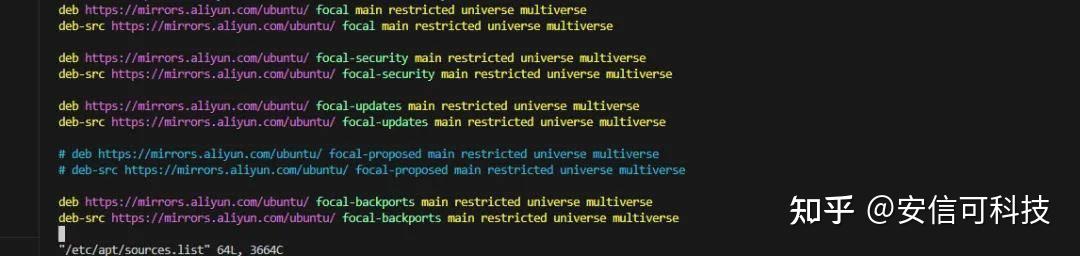
sudo apt update
升级源
sudo apt upgrade
安装开发依赖
sudo apt-get install git gcc make python3 python3-pip
审核编辑 黄宇
-
AI
+关注
关注
91文章
41115浏览量
302606 -
开发板
+关注
关注
26文章
6420浏览量
120903
发布评论请先 登录
AI语音开发板AiPi-PalChatV1教程:烧录与调试
AutoCAD的二次开发
ANSYS的二次开发技术
可支持快速二次开发的zigbee核心板
上线!国产AI语音开发板,定制你的聊天伙伴助手,可直接调用DeepSeek/豆包/通义千问
AI语音开发板AiPi-PalChatV1,使用指南来啦
AI语音开发板AiPi-PalChatV1教程:硬件设计参考
AI语音开发板AiPi-PalChatV1教程:常见问题
安信可AI语音开发板AiPi-PalChatV1 + MCP,通过HomeAssistant自动化控制设备
上手体验安信可小安派AI开发板,如何接入Home Assistant?
小智AI正式授权!安信可小安派语音AI开发板更新啦
【小智AI语音开发板】做个自己的Moss机器人?



评论