


 利用Python脚本登录到交换机并创建VLAN

转载请注明以下内容:
来源:公众号【网络技术干货圈】
作者:圈圈
ID:wljsghq
本文将详细介绍如何利用Python脚本登录到交换机并创建VLAN。
环境准备
硬件与软件要求
硬件要求:一台支持SSH的网络交换机
软件要求:
Python 3.x
相关Python库:paramiko、netmiko
Python库安装
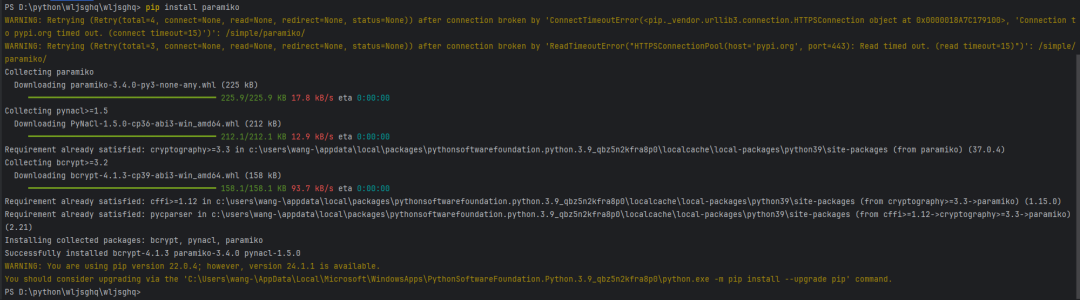
在开始编写脚本之前,需要安装必要的Python库。使用以下命令安装:
pipinstallparamikonetmiko
了解交换机的基本操作
在登录到交换机并创建VLAN之前,我们需要了解一些基本的交换机操作命令。这些命令通常通过SSH(Secure Shell)发送到交换机上执行。以下是一些常见的交换机命令:
登录交换机:通过SSH使用用户名和密码登录到交换机。
进入全局配置模式:configure terminal
创建VLAN:vlan
命名VLAN:name
保存配置:write memory 或 copy running-config startup-config
使用Python脚本登录交换机
使用Paramiko库登录交换机
paramiko是一个用于实现SSH协议的Python库,可以用来远程连接交换机。以下是一个简单的示例,展示如何使用paramiko登录到交换机:
importparamiko

defssh_connect(hostname,username,password):
#创建SSH客户端对象
ssh=paramiko.SSHClient()
#自动添加主机密钥
ssh.set_missing_host_key_policy(paramiko.AutoAddPolicy())
#连接到交换机
ssh.connect(hostname,username=username,password=password)
returnssh

#示例用法
hostname='192.168.1.1'
username='admin'
password='password'

ssh=ssh_connect(hostname,username,password)
print("成功登录到交换机")
使用Netmiko库登录交换机
netmiko是基于paramiko封装的一个库,专为网络设备自动化管理设计,使用起来更为方便。以下是使用netmiko登录到交换机的示例:
fromnetmikoimportConnectHandler

defnetmiko_connect(hostname,username,password,device_type='cisco_ios'):
#设备信息
device={
'device_type':device_type,
'host':hostname,
'username':username,
'password':password,
}
#连接到交换机
net_connect=ConnectHandler(**device)
returnnet_connect

#示例用法
hostname='192.168.1.1'
username='admin'
password='password'

net_connect=netmiko_connect(hostname,username,password)
print("成功登录到交换机")
使用Python脚本创建VLAN
使用Paramiko创建VLAN
在成功登录交换机后,可以使用paramiko发送命令创建VLAN。以下是一个完整的示例:
importparamiko
importtime

defssh_connect(hostname,username,password):
ssh=paramiko.SSHClient()
ssh.set_missing_host_key_policy(paramiko.AutoAddPolicy())
ssh.connect(hostname,username=username,password=password)
returnssh

defcreate_vlan(ssh,vlan_id,vlan_name):
#打开一个交互式Shell会话
remote_conn=ssh.invoke_shell()
#进入全局配置模式
remote_conn.send("configureterminal
")
time.sleep(1)
#创建VLAN
remote_conn.send(f"vlan{vlan_id}
")
time.sleep(1)
#命名VLAN
remote_conn.send(f"name{vlan_name}
")
time.sleep(1)
#退出配置模式
remote_conn.send("end
")
time.sleep(1)
#保存配置
remote_conn.send("writememory
")
time.sleep(1)
output=remote_conn.recv(65535).decode('utf-8')
returnoutput

#示例用法
hostname='192.168.1.1'
username='admin'
password='password'
vlan_id=10
vlan_name='Test_VLAN'

ssh=ssh_connect(hostname,username,password)
output=create_vlan(ssh,vlan_id,vlan_name)
print("VLAN创建成功")
print(output)
使用Netmiko创建VLAN
使用netmiko库创建VLAN的代码更为简洁。以下是一个完整的示例:
fromnetmikoimportConnectHandler

defnetmiko_connect(hostname,username,password,device_type='cisco_ios'):
device={
'device_type':device_type,
'host':hostname,
'username':username,
'password':password,
}
net_connect=ConnectHandler(**device)
returnnet_connect

defcreate_vlan(net_connect,vlan_id,vlan_name):
commands=[
'configureterminal',
f'vlan{vlan_id}',
f'name{vlan_name}',
'end',
'writememory'
]
output=net_connect.send_config_set(commands)
returnoutput

#示例用法
hostname='192.168.1.1'
username='admin'
password='password'
vlan_id=10
vlan_name='Test_VLAN'

net_connect=netmiko_connect(hostname,username,password)
output=create_vlan(net_connect,vlan_id,vlan_name)
print("VLAN创建成功")
print(output)
脚本优化与错误处理
在实际应用中,我们可能会遇到各种错误和异常情况,例如登录失败、命令执行失败等。为了使脚本更加健壮,我们需要加入错误处理机制。
使用Paramiko的错误处理
以下是加入错误处理后的paramiko脚本:
importparamiko
importtime

defssh_connect(hostname,username,password):
try:
ssh=paramiko.SSHClient()
ssh.set_missing_host_key_policy(paramiko.AutoAddPolicy())
ssh.connect(hostname,username=username,password=password)
returnssh
exceptparamiko.AuthenticationException:
print("认证失败,请检查用户名和密码。")
exceptparamiko.SSHExceptionassshException:
print(f"无法建立SSH连接:{sshException}")
exceptExceptionase:
print(f"出现错误:{e}")

defcreate_vlan(ssh,vlan_id,vlan_name):
try:
remote_conn=ssh.invoke_shell()
remote_conn.send("configureterminal
")
time.sleep(1)
remote_conn.send(f"vlan{vlan_id}
")
time.sleep(1)
remote_conn.send(f"name{vlan_name}
")
time.sleep(1)
remote_conn.send("end
")
time.sleep(1)
remote_conn.send("writememory
")
time.sleep(1)
output=remote_conn.recv(65535).decode('utf-8')
returnoutput
exceptExceptionase:
print(f"创建VLAN时出错:{e}")

#示例用法
hostname='192.168.1.1'
username='admin'
password='password'
vlan_id=10
vlan_name='Test_VLAN'

ssh=ssh_connect(hostname,username,password)
ifssh:
output=create_vlan(ssh,vlan_id,vlan_name)
ifoutput:
print("VLAN创建成功")
print(output)
ssh.close()
使用Netmiko的错误处理
以下是加入错误处理后的netmiko脚本:
fromnetmikoimportConnectHandler,NetMikoAuthenticationException,NetMikoTimeoutException

defnetmiko_connect(hostname,username,password,device_type='cisco_ios'):
device={
'device_type':device_type,
'host':hostname,
'username':username,
'password':password,
}
try:
net_connect=ConnectHandler(**device)
returnnet_connect
exceptNetMikoAuthenticationException:
print("认证失败,请检查用户名和密码。")
exceptNetMikoTimeoutException:
print("连接超时,请检查交换机的网络连接。")
exceptExceptionase:
print(f"出现错误:{e}")

defcreate_vlan(net_connect,vlan_id,vlan_name):
try:
commands=[
'configureterminal',
f'vlan{vlan_id}',
f'name{vlan_name}',
'end',
'writememory'
]
output=net_connect.send_config_set(commands)
returnoutput
exceptExceptionase:
print(f"创建VLAN时出错:{e}")

#示例用法
hostname='192.168.1.1'
username='admin'
password='password'
vlan_id=10
vlan_name='Test_V

LAN'

net_connect=netmiko_connect(hostname,username,password)
ifnet_connect:
output=create_vlan(net_connect,vlan_id,vlan_name)
ifoutput:
print("VLAN创建成功")
print(output)
net_connect.disconnect()
-
交换机
+关注
关注
23文章
2937浏览量
104905 -
VLAN
+关注
关注
1文章
290浏览量
37973 -
python
+关注
关注
58文章
4889浏览量
90330 -
脚本
+关注
关注
1文章
412浏览量
29286
原文标题:利用Python脚本怎么登录到交换机并且创建VLAN?
文章出处:【微信号:网络技术干货圈,微信公众号:网络技术干货圈】欢迎添加关注!文章转载请注明出处。
发布评论请先 登录
使用paramiko在eNSP的交换机中批量创建VLAN
ISM交换机如何添加VLAN呢?
[分享]常见网络交换机故障及应用问答
华为路由器交换机VLAN配置实例
二层交换机web配置教程
聊聊科地网管PoE交换机的VLAN如何配置
交换机划分vlan的原因是什么
登录网络交换机的三种方法

使用Python脚本备份华为交换机的配置信息



评论