


 使用Python脚本备份华为交换机的配置信息

转载请注明以下内容:
来源:公众号【网络技术干货圈】
作者:圈圈
ID:wljsghq
在现代网络管理中,备份交换机的配置信息是一项至关重要的任务。备份可以确保在交换机发生故障或配置错误时,能够迅速恢复到之前的工作状态。本文将详细介绍如何使用Python脚本备份华为交换机的配置信息。
在开始编写Python脚本之前,我们需要准备以下环境:
Python环境:确保系统已经安装了Python 3.x。如果没有,可以从Python官方网站https://www.python.org下载并安装。
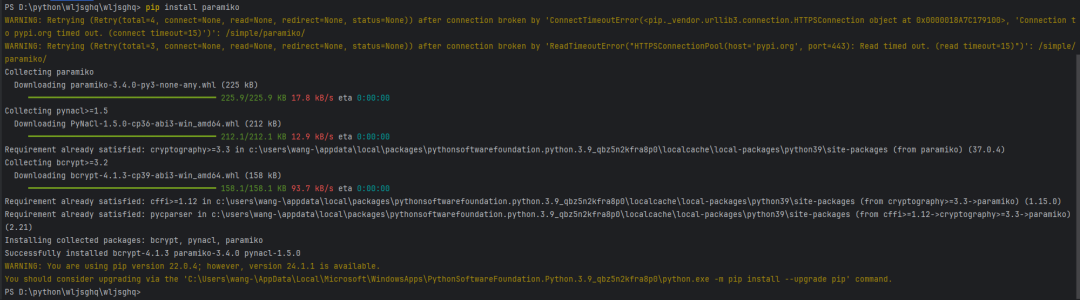
Paramiko库:这是一个用于SSH连接的Python库。可以使用以下命令安装:
pipinstallparamiko
华为交换机:本文假设你已经有一台华为交换机,并且可以通过SSH进行访问。
交换机配置文件的存储位置:一个可以存储备份文件的目录。
备份华为交换机配置文件的基本步骤如下:
通过SSH连接到交换机。
执行相应的命令获取配置文件。
将配置文件保存到本地。
编写Python脚本
接下来,我们将详细编写一个Python脚本来实现上述步骤。
导入必要的库
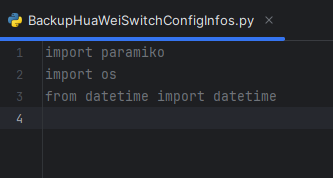
首先,我们需要导入必要的Python库:
importparamiko
importos
fromdatetimeimportdatetime
配置连接信息
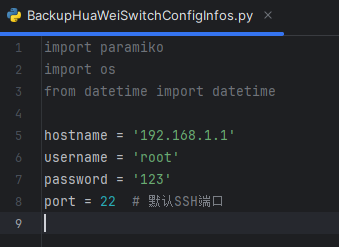
我们需要配置SSH连接的信息,包括交换机的IP地址、用户名和密码等:
hostname='交换机的IP地址'
username='用户名'
password='密码'
port=22#默认SSH端口
创建SSH连接
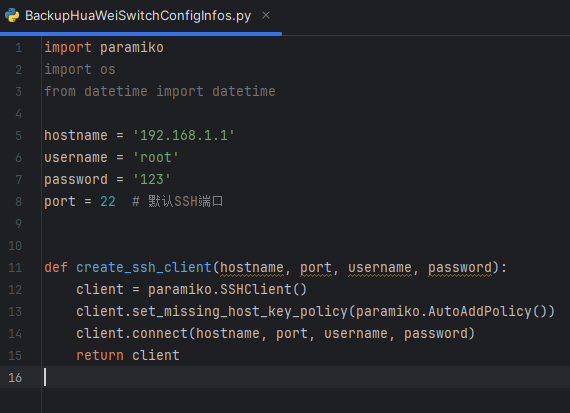
使用Paramiko库创建SSH连接:
defcreate_ssh_client(hostname,port,username,password):
client=paramiko.SSHClient()
client.set_missing_host_key_policy(paramiko.AutoAddPolicy())
client.connect(hostname,port,username,password)
returnclient
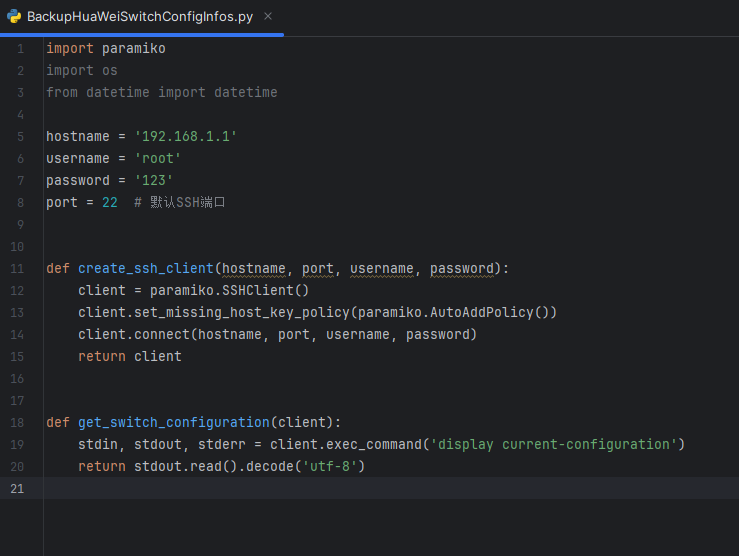
获取交换机配置
连接成功后,我们需要执行交换机的命令来获取配置文件。华为交换机常用的命令是display current-configuration。
defget_switch_configuration(client):
stdin,stdout,stderr=client.exec_command('displaycurrent-configuration')
returnstdout.read().decode('utf-8')
保存配置文件
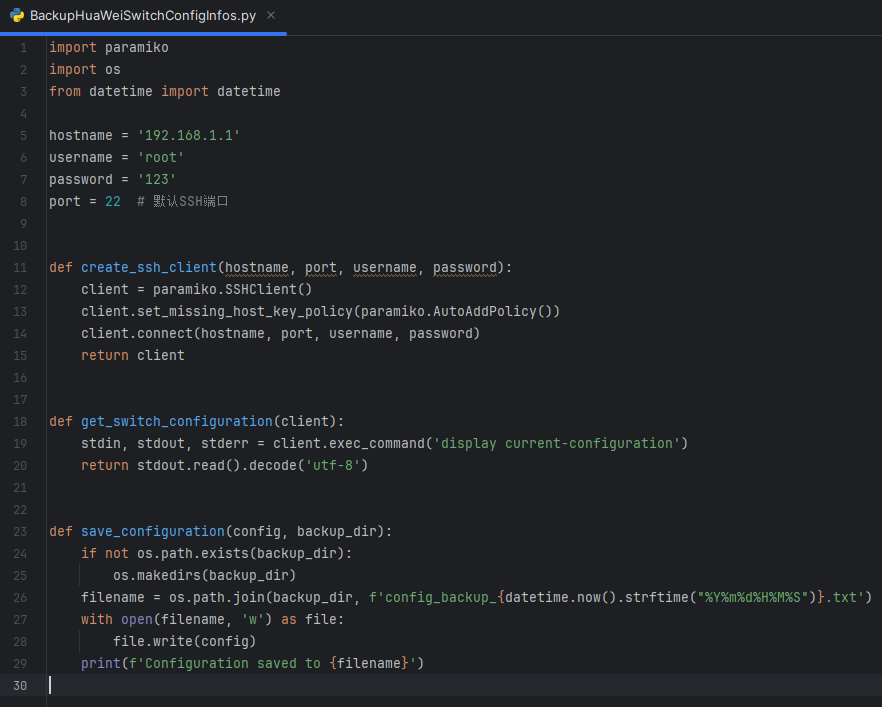
我们需要将获取到的配置文件保存到本地。为了便于管理,通常会按照日期命名备份文件。
defsave_configuration(config,backup_dir):
ifnotos.path.exists(backup_dir):
os.makedirs(backup_dir)
filename=os.path.join(backup_dir,f'config_backup_{datetime.now().strftime("%Y%m%d%H%M%S")}.txt')
withopen(filename,'w')asfile:
file.write(config)
print(f'Configurationsavedto{filename}')
完整的Python脚本
将上述步骤整合成一个完整的Python脚本:
importparamiko
importos
fromdatetimeimportdatetime

#配置信息
hostname='交换机的IP地址'
username='用户名'
password='密码'
port=22#默认SSH端口
backup_dir='备份文件存储目录'

#创建SSH连接
defcreate_ssh_client(hostname,port,username,password):
client=paramiko.SSHClient()
client.set_missing_host_key_policy(paramiko.AutoAddPolicy())
client.connect(hostname,port,username,password)
returnclient

#获取交换机配置
defget_switch_configuration(client):
stdin,stdout,stderr=client.exec_command('displaycurrent-configuration')
returnstdout.read().decode('utf-8')

#保存配置文件
defsave_configuration(config,backup_dir):
ifnotos.path.exists(backup_dir):
os.makedirs(backup_dir)
filename=os.path.join(backup_dir,f'config_backup_{datetime.now().strftime("%Y%m%d%H%M%S")}.txt')
withopen(filename,'w')asfile:
file.write(config)
print(f'Configurationsavedto{filename}')

#主函数
defmain():
try:
client=create_ssh_client(hostname,port,username,password)
config=get_switch_configuration(client)
save_configuration(config,backup_dir)
exceptExceptionase:
print(f'Anerroroccurred:{e}')
finally:
client.close()

if__name__=="__main__":
main()
脚本的执行与验证
修改脚本配置:在脚本中填入实际的交换机IP地址、用户名、密码和备份文件存储目录。
运行脚本:在终端或命令提示符中运行脚本:
pythonbackup_huawei_switch.py
验证结果:检查备份目录,确认配置文件是否正确保存。
脚本的优化与扩展
增加日志记录:可以添加日志功能,记录每次备份的详细信息。
importlogging

logging.basicConfig(filename='backup.log',level=logging.INFO,format='%(asctime)s-%(message)s')

defsave_configuration(config,backup_dir):
ifnotos.path.exists(backup_dir):
os.makedirs(backup_dir)
filename=os.path.join(backup_dir,f'config_backup_{datetime.now().strftime("%Y%m%d%H%M%S")}.txt')
withopen(filename,'w')asfile:
file.write(config)
logging.info(f'Configurationsavedto{filename}')
print(f'Configurationsavedto{filename}')
增加错误处理:增强错误处理,确保在连接失败或命令执行失败时能够适当处理。
defmain():
try:
client=create_ssh_client(hostname,port,username,password)
config=get_switch_configuration(client)
save_configuration(config,backup_dir)
exceptparamiko.AuthenticationException:
print('Authenticationfailed,pleaseverifyyourcredentials')
exceptparamiko.SSHExceptionassshException:
print(f'UnabletoestablishSSHconnection:{sshException}')
exceptExceptionase:
print(f'Anerroroccurred:{e}')
finally:
client.close()
定时任务:可以将脚本设置为定时任务,定期自动备份配置文件。
在Linux上,可以使用cron定时任务:
crontab-e
添加如下任务,每天凌晨2点执行备份:
02***/usr/bin/python3/path/to/backup_huawei_switch.py
在Windows上,可以使用任务计划程序(Task Scheduler)。
-
华为
+关注
关注
218文章
36212浏览量
262711 -
交换机
+关注
关注
23文章
2937浏览量
104894 -
python
+关注
关注
58文章
4888浏览量
90320 -
脚本
+关注
关注
1文章
412浏览量
29279
原文标题:如何使用Python脚本备份华为交换机的配置信息?
文章出处:【微信号:网络技术干货圈,微信公众号:网络技术干货圈】欢迎添加关注!文章转载请注明出处。
发布评论请先 登录
如何通过Python脚本批量采集华为交换机配置
交换机最基本的配置与使用方法



评论