


 如何使用Arduino在智能手机上编写文本并通过蓝牙在LCD上打印文本

步骤1:所需的硬件
对于该项目,您将需要:
-一个Arduino UNO
-一个LCD(液晶显示器)
-一个面包板
-一个10K电位器
-一个BT模块(我使用HC-05)
-跳线
-一个蓝牙应用程序。对于Android用户,我建议使用BlueTerm。对不起,iOS用户,BlueTerm仅适用于Android 。..但是您仍然可以下载等效的应用程序。
不需要任何工具
2:构建电路
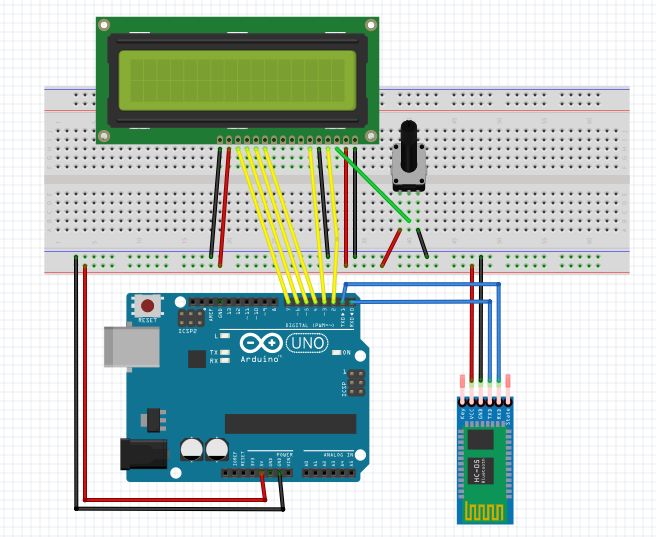
上面的图像对应于以下准则:
首先,将LCD固定在面包板上,并通过以下方式为面包板供电将Arduino的“ 5V”(电源)线连接到面包板上的正极行,另一根从“ GND”线(接地或0V)连接到负极行。
然后将LCD连接到Arduino:
LCD引脚4-Arduino引脚2
引脚6-引脚3
引脚11-引脚4
引脚12-引脚5
引脚13-引脚6
引脚14-引脚7
之后,为LCD供电:
LCD引脚1 =面包板上的GND
Pin 2 = 5V
Pin 5 = GND
Pin 15 = 5V
Pin 16 = GND
然后将LCD上的引脚3连接到10K电位器的中心引脚,并用GND上的一个引脚和面包板上5V上的另一个引脚为电位器供电。
然后将蓝牙模块上的Tx(发送)引脚连接到Arduino上的Rx(接收),并将BT模块上的Rx引脚连接到Arduino上的Tx。
最后,给BT供电通过将VCC(或5V)连接到面包板上的正极行并将GND连接到面包板上的负极端。
步骤3:代码
现在让我们编写代码:
#include //Include the library that enables you to use the LCD
LiquidCrystal lcd(2,3,4,5,6,7);//Declare that your LCD is connected to pins 2,3,4,5,6 & 7 on your Arduino
void setup() {
lcd.begin(16,2);//16 by 2 are the dimensions of the LCD (in number of characters)
Serial.begin(9600);//launch the process of receiving serial data (via bluetooth) at 9600 bits/s
}
void loop() {
if(Serial.available()){
lcd.write(Serial.read());//these two lines mean that if there is data coming from the BT module, the Arduino prints it on the LCD.
}
}
//Before uploading the code to the Arduino, disconnect the Tx and Rx pins, otherwise you won‘t be able to upload. Once the code uploaded, reconnect them.
现在打开BlueTerm,打开蓝牙并连接HC-05。然后只需输入您的文本,它就应该在LCD上打印!
-
智能手机
+关注
关注
66文章
18700浏览量
186286 -
蓝牙
+关注
关注
119文章
6390浏览量
179291 -
Arduino
+关注
关注
190文章
6527浏览量
197449
发布评论请先 登录
LCD 屏幕上的文本区域和 ddlist 在更新时闪烁是为什么?
详解DBC的Signal与JSON文本结合

在Google Pixel 10上“听诊”蓝牙信道?开源安卓应用实测揭秘
nordic NRF54蓝牙设备在Google Pixel 10上“听诊”蓝牙信道示例
如何在Google Pixel 10智能手机上评估信道探测功能
仅使用智能手机在NVIDIA Isaac Sim中重建场景
亿光67-24ST系列LED为智能手机“点睛”

vivo携手Google Cloud推动智能手机迈入AI新时代
傲琪人工合成石墨片: 破解智能手机散热困境的创新解决方案
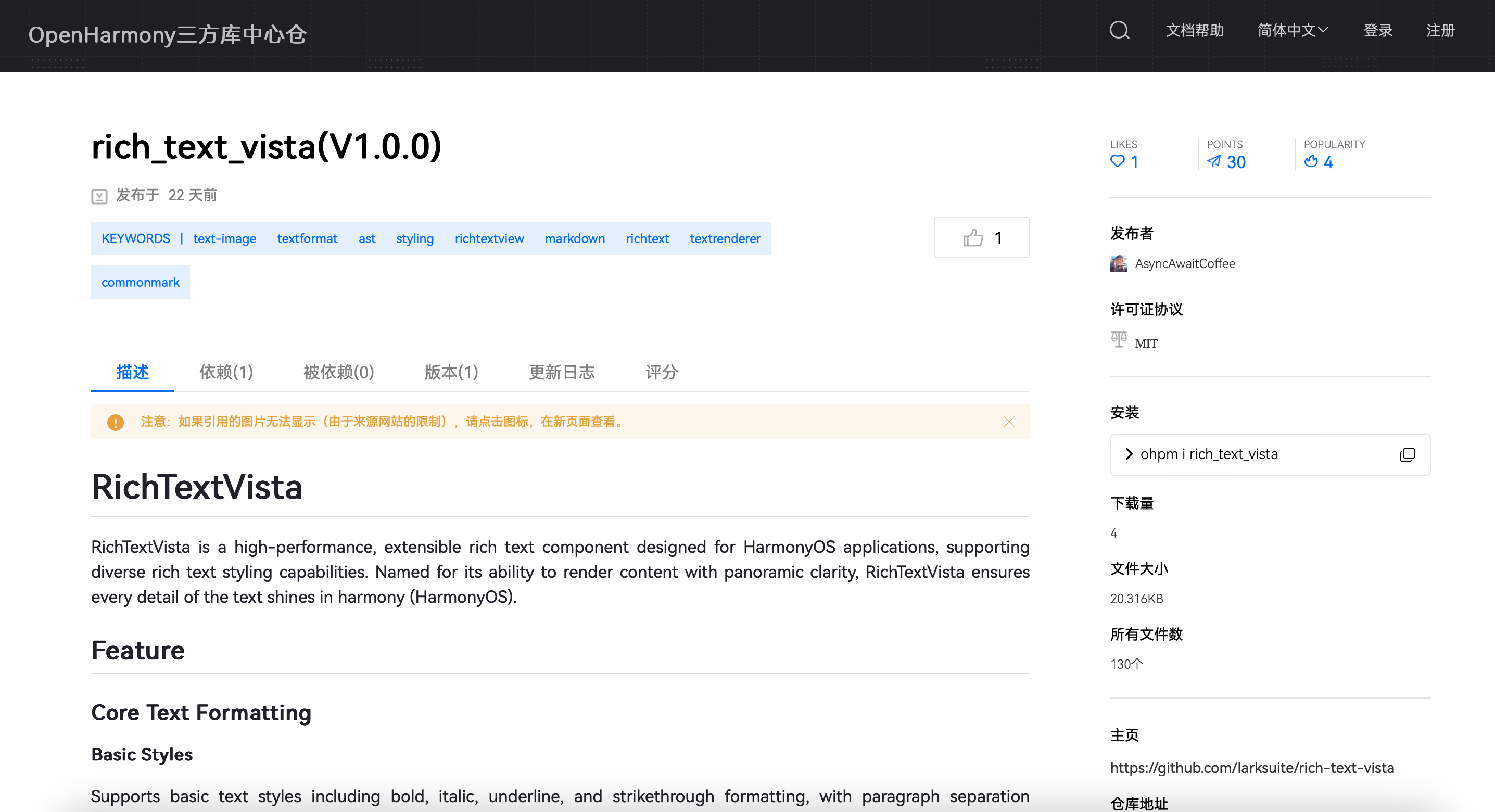
飞书开源“RTV”富文本组件 重塑鸿蒙应用富文本渲染体验
蓝牙信道探测,简单可靠的无线测距方案
无法使用OpenVINO™在 GPU 设备上运行稳定扩散文本到图像的原因?
掌握智能手机气密性检测仪操作技巧,检测更高效




评论