 电子发烧友App






Best practices for preparing a library for Capture-Allegro PCB Editor
flow
Limit part and pin names to 31 characters
Use upper case characters for part/symbol names, part references
designators, and pin names
Do not use special characters to assign part names, references
designators, and pin names
Do not use duplicate pin names for pins other than power pins
For multiple power pins with the same pin names, do not make some
pins visible and other invisible
Do not use "0" as a pin number
Best practices for Capture design for Allegro PCB Editor
While defining a net list alias or a net name
• Keep the maximum length of a net name or alias up to 31
characters
• Do not use lower case or special characters in a net name
Avoid using "Power Pins Visible" property at design level
Use net to connect pins
• Leave room for assigning a net name. Pin-to-pin connection
changes the net name when a user moves a component
Run the Capture DRC command before generating Allegro PCB Editor
netlist
Set path for Allegro PCB Editor footprint before running Netrev
Best practices for smooth back annotation
Do not change design name, hierarchical block names, or reference
designators in Capture after board files creation
Do not edit a part from schematic in Capture after board file
creation
Do not replace cache as it changes the Source library name and part
name, in capture
Do not change the values of component definition properties in
capture after board files creation
Do not change Design file/root schematic/hierarchical block names
in Capture after board file creation
Do not add or delete components to or from the schematic design
immediately after the board file creation. Add or delete components
after finishing the back annotation process
Do not add any additional components in Allegro PCB Editor. Instead,
add components in Capture and take them to Allegro PCB Editor
Do not add, rename, or delete a net in Allegro PCB Editor
Do not change the format for reference designators for parts in
Allegro PCB Editor as
>
Run Allegro PCB Editor Dbdoctor before running Back annotation by
selecting the Database Check command from the Tools menu in Allegro
PCB Editor
Make backups of the original design before updating the design with
the swap information in Capture
Back annotate the design immediately after making the board file.
Though it does not a mandatory step, back annotating the design
before placing components helps avoid problems in back-annotation
at a later stage.
If back annotation at this stage generates an empty swap file, you
can proceed with placing and routing the board file. In case any
problems are detected, you must correct them in the design file and
generate the board file again until an empty swap file is generated.
- Best(7230)
- egro(6414)


声明:本文内容及配图由入驻作者撰写或者入驻合作网站授权转载。文章观点仅代表作者本人,不代表电子发烧友网立场。文章及其配图仅供工程师学习之用,如有内容侵权或者其他违规问题,请联系本站处理。 举报投诉
相关推荐
orcad capture转换到mentor的方法
 3170
3170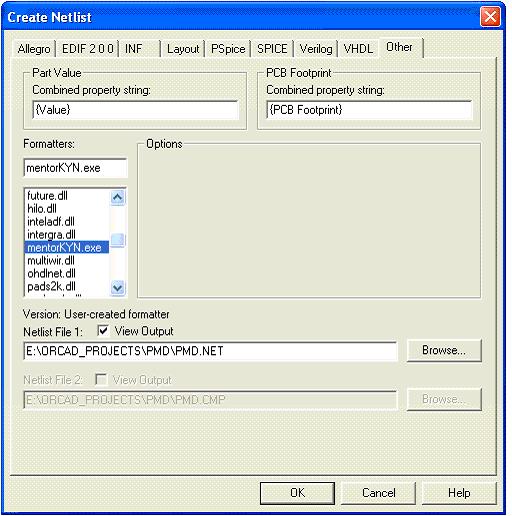
Capture CIS数据库配置问题
capture原理图怎么导入altuim 9中
capture和PADS2007
Cal all channels错误消息
DM8168图像Capture + Display,Display不对是为什么?
ORCAD CAPTURE 怎么产生这种微波波形??
ORCAD capture 打开DSN文件的问题
Quad Flat No-Lead QFN应用笔记和最佳实践
SJ50系列II回流焊后软件算法手册
SJ50系列II预回流软件算法手册
Virtex-5中的Microblaze和Capture-Restore过程出现问题
dm368 capture
ieee.std_logic_signed.all和ieee.std_logic_unsigned.all同时用出现报错怎么解决?
orcad capture pspice不能用
orcad capture无法复制原理图
为什么orcad9.2版本在capture里画好电路图,生成layout,为什么在capture里改电阻阻值,layout里没有及时更新?
在示波器上怎么捕获和保存多个通道
打开capture后出现d:\cadence\SPB_16.3\Tools\capture was not found
无法找到Intuilink Data Capture的Add In
是德科技过程分析
最新的Capture SDK和DLL的头文件不匹配
有什么方法可以使用SEM和CAPTURE原语吗?
模拟电路世界级设计 经典模电教程
组合逻辑设计实践- Combinational logic design practices-(数字设计原理与实践)
请问data capture功能怎么使用
orcad/capture cis 9实用教程
 0
0宁波BEST贝斯特滤芯
基于Quick Capture 技术的摄像头驱动方案
16一种有效的 N-Best 算法及其在中文语音识别中的应用
25Cisco Wireless LAN Security
5思科无线局域网安全
48OrCAD Capture CIS 9 实用教程 (pdf格
0Memory Interfaces Data Capture
12Capture to Allegro Interface
0

印刷电路板设计的最佳实践 Best Practices in
1090
力科产品荣膺09年度“Best in Test”奖项
460什么是AOWC (All-Optical Wavelengt
447什么是AON (All-Optical Network)
970什么是Best Effort
1263How do I Choose the Best FireW
1038Cadence ORCAD CAPTURE元件库介绍
0XAPP105 - CPLD VHDL介绍
17AN2394_CapSense™ Best Practices
11PCIe、NVMe协议分析仪
52PCBArtistTutorial
0Orcad Capture® Quick Reference
0使用2×4 MIMO-OFDM系统模型下的K-Best算法设计的K-Best检测器
3374区块链:All In需要具备哪些能力?
409用OpenMP和SIMD并行加速应用程序的性能
3137Android开发的最佳实践
1192闻泰科技荣获LG电子“Best Quality Award”
3692OrCAD Capture的使用培训教程免费下载
0测试实验,带你快速了解Matterport Capture
3326AD7380/AD7381: What oversampling method is best for an application?
5基于24 Channel Video Capture CardField-Programmable Gate Array的参考设计
10Javascript-best-practice
6Capture-Screen-On-Mac Mac OS X下的截屏实现
0OrCAD Capture CIS instance和occurrences概念解析
7051
合宙Air系列开发板官方demo学习(二):camera-摄像头:(1)-capture
722
孟晚舟称将打造中国算力底座 华为All Intelligence启动
665- 设计技术
- 可编程逻辑
- 电源/新能源
- MEMS/传感技术
- 测量仪表
- 嵌入式技术
- 制造/封装
- 模拟技术
- RF/无线
- 接口/总线/驱动
- 处理器/DSP
- EDA/IC设计
- 存储技术
- 光电显示
- EMC/EMI设计
- 连接器
- 行业应用
- LEDs
- 汽车电子
- 音视频及家电
- 通信网络
- 医疗电子
- 人工智能
- 虚拟现实
- 可穿戴设备
- 机器人
- 安全设备/系统
- 军用/航空电子
- 移动通信
- 工业控制
- 便携设备
- 触控感测
- 物联网
- 智能电网
- 区块链
- 新科技
- 联系我们
- 广告合作
- 王婉珠:wangwanzhu@elecfans.com
- 内容合作
- 黄晶晶:huangjingjing@elecfans.com
- 内容合作(海外)
- 张迎辉:mikezhang@elecfans.com
- 供应链服务 PCB/IC/PCBA
- 江良华:lanhu@huaqiu.com
- 投资合作
- 曾海银:zenghaiyin@huaqiu.com
- 社区合作
- 刘勇:liuyong@huaqiu.com
-
关注我们的微信

-
下载发烧友APP

-
电子发烧友观察








版权所有 © 深圳华秋电子有限公司
电子发烧友 (电路图) 粤公网安备 44030402000349 号 电信与信息服务业务经营许可证:合字B2-20210191 工商网监
湘ICP备 2023018690 号
工商网监
湘ICP备 2023018690 号
评论